The Free Household Budget Generator That Finally Makes Budgeting Feel Easy
Let’s be honest — most people avoid budgeting because it feels complicated, boring, or just plain overwhelming. You open a spreadsheet, stare at a bunch of empty cells, and close it five minutes later. Sound familiar?
Here’s the thing though: you don’t need a finance degree or a fancy app subscription to get your money under control. What you need is a simple, visual tool that does the heavy lifting for you.
That’s exactly what a Household Budget Generator does. It takes your income, your expenses, and your savings goals — and turns them into a clear, honest picture of where your money is actually going each month.
In this article, you’ll learn what a household budget generator is, how to use one effectively, and how it can genuinely change the way your family handles money. We’ve also built a free one you can use right now — no login, no credit card, nothing.
What Is a Household Budget Generator?
A household budget generator is an online tool that helps you create a complete monthly budget in minutes. You enter your take-home income, fill in your expenses by category — rent, groceries, utilities, subscriptions, dining out — and the tool instantly calculates your totals, shows you where you stand, and flags whether you’re overspending.
Think of it as a financial snapshot of your month. Instead of guessing where your paycheck disappeared, you’ll see it clearly laid out in front of you.
Unlike complicated budgeting software, a good household budget generator is:
- Fast — set up in under 5 minutes
- Visual — charts and progress bars make it easy to understand
- Judgment-free — it just shows you the numbers, no shame attached
How Does a Household Budget Generator Work?
Step 1 — Enter Your Monthly Income
Start by adding all your income sources. That includes your salary, any freelance income, rental income, or side hustle earnings. The key here is to use your take-home pay — the amount that actually lands in your bank account after taxes.
Step 2 — Add Your Expenses by Category
This is where it gets interesting. A good monthly budget planner will break expenses into categories like:
- Needs — rent/mortgage, groceries, utilities, insurance, healthcare, debt repayments
- Wants — dining out, entertainment, streaming subscriptions, shopping
- Savings — emergency fund, retirement contributions (401k/IRA), investments
Don’t worry about being perfect. Even rough estimates are more useful than nothing.
Step 3 — Set a Savings Goal
Want to save $500 this month? Or put 20% of your income away? Enter your goal and the tool will tell you whether your current spending makes it achievable — or whether something needs to give.
Step 4 — Review Your Results
This is the eye-opening part. Your budget generator will show you:
- Total income vs total expenses
- Your surplus or deficit
- A category-by-category spending breakdown
- How your budget scores against the 50/30/20 rule
Step 5 — Use the Budget Splitter (for households with multiple earners)
If you share expenses with a partner, roommate, or family member, the cost splitter feature divides the total bills fairly — either equally, by income percentage, or using custom splits you define yourself.
Why Budgeting Actually Matters (More Than You Think)
Here’s a stat that stops most people in their tracks: according to financial surveys, nearly 60% of Americans couldn’t cover a $1,000 emergency from savings alone. Not because they don’t earn enough — but because they don’t track where their money goes.
A family budget calculator helps you close that gap. Here’s what consistent budgeting actually does for you:
- Eliminates money stress — knowing your numbers, even when they’re uncomfortable, beats not knowing
- Reveals hidden leaks — that $14.99 subscription you forgot about, plus the other three, plus the gym you haven’t visited since January
- Helps you save with intention — instead of saving “whatever’s left,” you save first and spend the rest
- Prepares you for emergencies — a funded emergency account means a broken car or medical bill doesn’t derail your entire month
Real-Life Examples of How People Use It
Sarah, a teacher in Ohio: Sarah earns $3,800/month take-home. She used the household budget generator and discovered she was spending $420/month on dining out — nearly 11% of her income. She trimmed it to $200, redirected the difference to her emergency fund, and hit her $1,000 goal in under three months.
Mark and Lisa, a dual-income couple in London: They used the budget splitter to divide their $5,200 combined monthly expenses proportionally — Mark earns more, so he covers 60%, Lisa covers 40%. No more awkward money conversations.
David, a freelancer in Toronto: His income varies month to month. He uses the generator at the start of each month with his projected earnings to build a flexible budget that adjusts to what he actually earns.
Tips to Get the Most Out of Your Monthly Budget Planner
- Be honest with yourself. Rounding down your coffee habit from $180 to $50 only hurts you.
- Budget to zero. Every dollar of income should have a job — spending, saving, or investing.
- Review mid-month. A budget isn’t a set-it-and-forget-it thing. Check in around the 15th to see if you’re on track.
- Use the 50/30/20 rule as a starting point. 50% needs, 30% wants, 20% savings. It’s not perfect for everyone, but it’s a solid baseline.
- Don’t forget irregular expenses. Car registration, annual subscriptions, holiday gifts — divide the yearly total by 12 and budget a little each month.
Try Our Free Household Budget Generator
We built a completely free Household Budget Generator that you can use right now — no account needed, no downloads, nothing to install.
Here’s what it includes:
- 18 expense categories covering all major household spending areas (including retirement, insurance, childcare, and debt repayment)
- 50/30/20 rule checker that automatically scores your budget
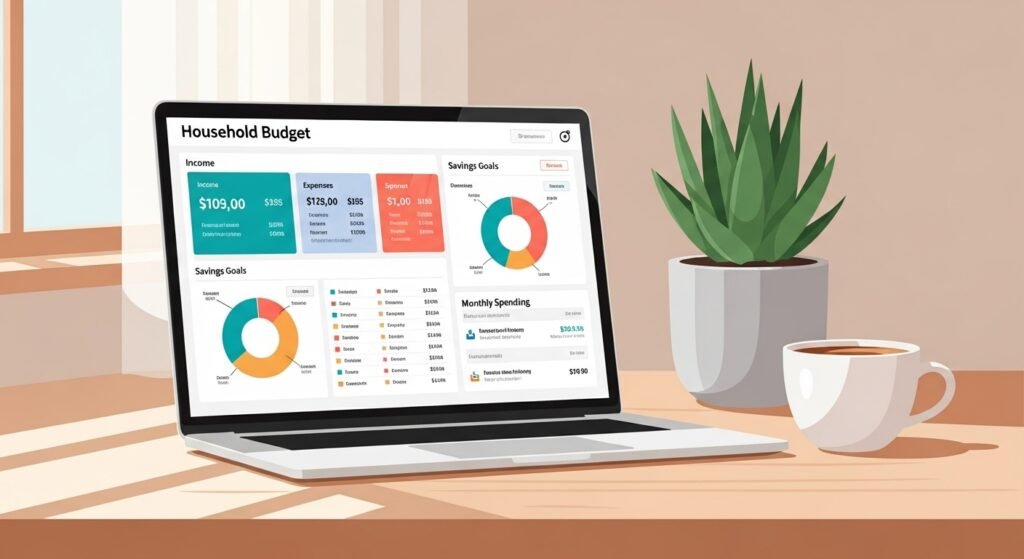
- Visual donut chart and spending breakdown
- Savings goal tracker — fixed amount or percentage of income
- Budget Splitter — split costs equally, by income %, or custom percentages
- CSV download and print-to-PDF options
- 6 currency options — USD, GBP, EUR, CAD, AUD, SGD
It takes about 5 minutes to fill in and gives you a complete picture of your monthly finances.
Use the Free Household Budget Generator above
Frequently Asked Questions : FAQ
Q1: What is a household budget generator? A household budget generator is a free online tool that helps you plan your monthly income and expenses, see your spending breakdown visually, and track whether you’re hitting your savings goals — all without needing a spreadsheet or financial software.
Q2: How do I create a household budget? Start with your total take-home income, then list every monthly expense by category — housing, food, transport, utilities, and so on. Subtract total expenses from income to find your surplus or deficit. A budget generator does all this automatically once you enter your numbers.
Q3: What is the 50/30/20 budget rule? The 50/30/20 rule is a simple budgeting guideline: spend 50% of take-home income on needs (rent, groceries, utilities), 30% on wants (dining out, entertainment), and save or put 20% toward debt repayment and investments.
Q4: Can I use a budget generator for a two-income household? Yes. A good household budget generator includes a budget splitter feature that lets you divide shared expenses between two or more people — either equally, proportionally by income, or using custom percentages you set yourself.
Q5: Is a household budget generator free to use? Our household budget generator is completely free — no sign-up, no credit card, no hidden fees. Just open the tool, enter your numbers, and get your results instantly.
Q6: How often should I update my household budget? Ideally once a month, at the start of each new month. If your income or major expenses change during the month — like a pay raise, a new bill, or an unexpected cost — update it mid-month too. The more current your numbers, the more useful the tool.
Related Tools You Might Find Useful
1. Monthly Bill Payment Tracker Never miss a due date again. Track all your recurring bills — utilities, subscriptions, loan payments — in one place with due dates and payment status.
2. Emergency Fund Calculator Find out exactly how much you need saved to cover 3–6 months of expenses, and see how long it’ll take to get there based on your monthly savings rate.
3. Debt Payoff Planner Enter your debts, interest rates, and monthly payment budget — the tool shows you the fastest path to becoming debt-free using the avalanche or snowball method.
4. Net Worth Calculator Add up your assets (savings, investments, property) and subtract your liabilities (debt, loans) to get your real financial picture at a glance.
5. Subscription Audit Tool List every subscription you’re paying for, see the monthly and annual total, and identify which ones you can cancel to free up budget room immediately.
All tools are free to use. No account required.